1
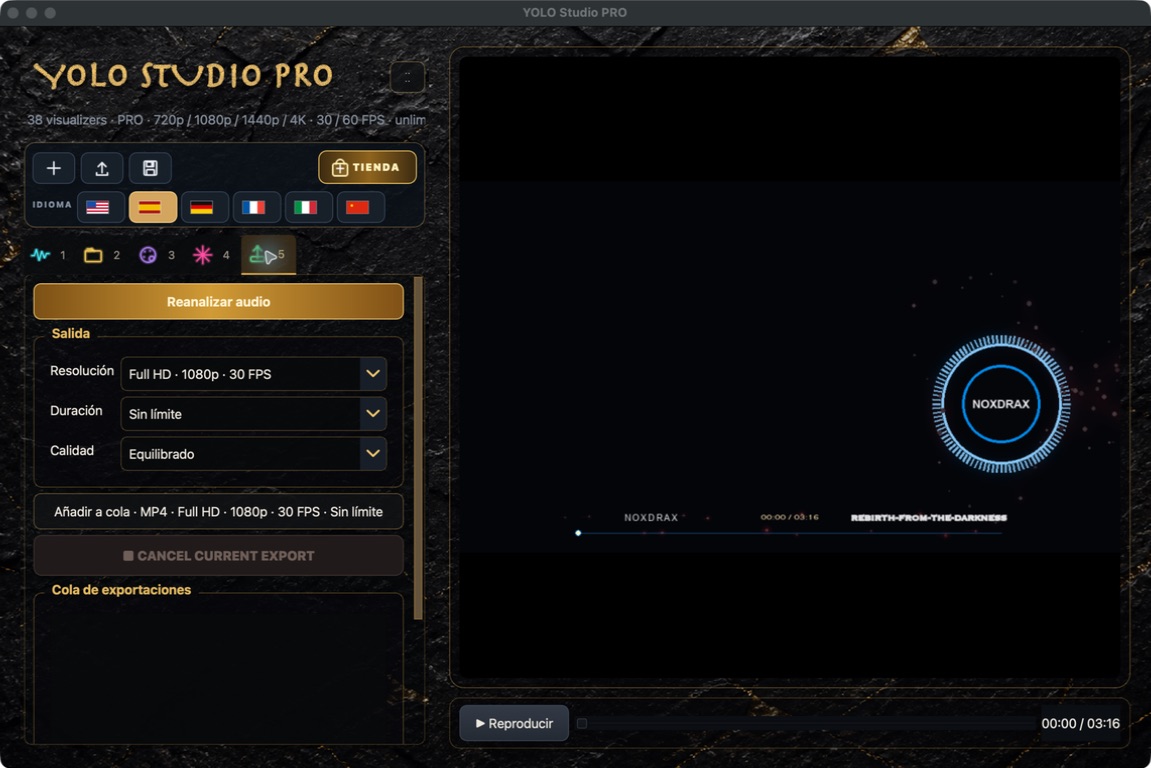
Choose resolution and FPS.
1080p/30 is the practical balance for most releases. Choose 4K for detail and 60 FPS when the extra motion is worthwhile.
 YOLO STUDIO
4K and 60 FPS provide more detail and smoother motion, but need more time and disk space. Always check the design with a short test first.
Configure export1080p/30 is the practical balance for most releases. Choose 4K for detail and 60 FPS when the extra motion is worthwhile.
Move the player to a strong part of the song and select a 15-second test. It is the fastest way to check framing and reaction.
Balanced works for most publishing. Choose higher quality for an archive master or a file you plan to edit again.
Prepare multiple versions and let them render one after another. Cancelling removes the incomplete output file.
1080p · 30 FPS · Balanced
4K · 30 FPS · High quality
1080p or 4K · 60 FPS